Advanced: When the Stock Market Is Open—Nuances
An advanced pillar guide to interpreting when the stock market is really “open” — define open vs tradable, map sessions across time zones/DST and calendars, understand auctions/halts/half-days, and account for broker routing, instrument-specific clocks, and data-feed quirks.
Advanced: When the Stock Market Is Open—Nuances
An advanced pillar guide to interpreting when the stock market is really “open” — define open vs tradable, map sessions across time zones/DST and calendars, understand auctions/halts/half-days, and account for broker routing, instrument-specific clocks, and data-feed quirks.
“Is the market open?” sounds binary—until your order is accepted but not executed, a halt freezes trading mid-session, or a pre-market print shows up on one feed and not another.
This guide gives you a precise, practitioner-grade way to answer the question for your specific ticker, venue, and order type. You’ll learn how sessions and auctions actually work, how brokers handle extended hours and corporate actions, why options/futures/ADRs run on different clocks, and how DST, holidays, and data timestamps can trick you.
Market Hours Aren’t Simple
“The market is open” sounds binary, until you place a trade and nothing fills. One venue is trading, another is quoting, and your broker might still be accepting orders. Ask three people what “open” means and you’ll get three correct answers.
Define “Open” Precisely
You need a definition before you need a clock. “Open” can mean trades are matching, quotes are published, orders are accepted, or settlement is happening.
A practical way to separate them:
- Trading session: executions can occur on the venue.
- Quoting session: bid/ask is disseminated as “official” market data.
- Order acceptance: your broker/venue accepts, routes, or parks orders.
- Settlement calendar: the date cash and shares actually move.
Each layer answers a different question. You can place an order “now,” see quotes “now,” and still be unable to execute until later.
Three Time Axes
Market hours break when you mix clocks. You need three time axes before you trust any “opens at 9:30” statement.
- Local exchange time, for the venue’s official session.
- Your time zone, for your workflow and alerts.
- Instrument time zone, for the product’s reference market.
- DST rules, which change by country and date.
- Holiday calendars, which differ by venue and product.
Most “the market moved early” stories are just DST drift or a missed holiday.
Session Taxonomy
A single trading day has multiple micro-sessions. They behave differently, even when the clock says “open.”
Typical structure:
- Pre-market: limited liquidity; wide spreads; some order types restricted.
- Opening auction: orders batch; price discovery dominates; imbalance matters.
- Continuous trading: matching is continuous; most order types available.
- Closing auction: benchmark prints; index flows; cutoff times bite.
- Post-market: thinner books; more gaps; partial executions are common.
Know which session you’re in before you blame your strategy. That’s the line between a bad fill and the wrong market phase.
Exchange Session Microstructure
“Open” is an auction, then a stream, then another auction. Each regime changes who can trade, when, and at what price.
The first and last prints can be artifacts. They often reflect auction mechanics, not true continuous availability.
Opening Auction Edge Cases
The opening print is built, not discovered instantly. It’s the end of a pre-open process with its own rules.
Exchanges disseminate an imbalance and an indicative match price before the open. That feed can move prices even when you still cannot trade continuously.
Participation differs from the regular session:
- Some orders only execute in the auction.
- Some participants avoid the open due to uncertainty.
- Some liquidity is “hidden” until the cross.
ETFs can look “open” while components are still forming prices. Small-caps can print an opening cross that’s far from the first tradable two-sided market.
Treat the opening print as a clearing event, not proof of steady liquidity.
Closing Auction Nuances
The close is a benchmark event, not just another tick. Cutoffs and auction rules decide who gets included.
- MOC/LOC cutoffs vary by venue and listing market.
- Imbalance publication can move prices before 4:00.
- The closing cross anchors index and fund NAV marks.
- “Market-on-close” can fill in the cross, not the last print.
- Late prints can hit after the cross, often off-auction.
If you care about tracking error, you care about the cross mechanics.
Halts and Resumptions
A halt interrupts continuous trading, but it doesn’t freeze price discovery. It shifts it into a constrained, rules-driven process.
LULD bands trigger volatility pauses when prices move too fast. News halts stop trading when material information is pending.
Resumption often uses a reopening auction with indicative pricing and imbalances. That “reopen” becomes a new intraday open, and the first post-halt print can gap.
Your chart shows continuity, but the market structure does not.
Half-Days and Specials
Shortened sessions change where liquidity concentrates. The auctions matter more because there’s less time to trade.
- Scheduled half-days shift the close earlier.
- Early close compresses volume into the final hour.
- Auction cutoffs move up, sometimes by a lot.
- Unscheduled closures can cancel planned rebalances.
- Post-close prints may dominate “last trade” optics.
On half-days, plan around the holiday & early closings calendar, not the wall clock.
What Your Broker Actually Does
Exchange hours are the outer boundary. Your broker is the gate.
That gate includes routing, internalization, and feature flags like “extended-hours enabled.”
Order Acceptance Windows
Your broker can accept an order while the exchange would reject it. You’ll see “queued,” “staged,” or “pending open,” then it routes later.
Validation timing matters. Buying power, short-locate checks, and risk limits may run at entry, at route-time, or both.
Common session-based rejects include “market closed,” “order type not eligible,” “price outside collars,” and “insufficient liquidity.”
If your order never hit a venue, exchange hours were irrelevant. Broker rules were the blocker.
Routing and Venue Selection
Brokers don’t send every order to “the market” the same way. The router changes behavior by session.
- Prefer lit venues during regular hours
- Restrict venues to ECNs in extended hours
- Route to auctions at open or close
- Use dark pools only when eligible
- Honor directed orders, even if worse
A directed order can override the smart router. That’s the line that gets crossed.
Extended-Hours Constraints
Extended hours is usually “limit-only,” and that’s deliberate. Wider spreads make market orders dangerous.
Order types also shrink. Brackets, stops, and many conditional orders may be disabled until the regular session.
Time-in-force gets weird. Brokers may offer DAY+, EXT, or “outside RTH,” while excluding GTC for extended routing.
If your ticket says “rejected,” check TIF and session flags before blaming liquidity.

Corporate Actions Timing
Corporate actions can freeze trading even when clocks say “open.” Processing windows are operational, not market-driven.
- Broker applies the corporate action in back office.
- Symbol or CUSIP changes propagate to routing and clearing.
- Positions update, often before you can trade.
- Broker re-enables trading after reconciliation.
- Any mismatch triggers restrictions or “close-only.”
When a symbol is mid-transition, the safest assumption is “systems first, trading later.”
Instruments With Different Clocks
“Market open” depends on the instrument, not your app’s green dot. Equities, options, futures, FX, and crypto each have different sessions, pauses, and liquidity patterns.
A classic trap: you see prints and quotes and assume price discovery is underway. Often, you’re just watching the plumbing warm up.
Options Session Mismatch
Options can trade on their own schedule, even when the underlying is barely tradable. Opening rotations and auction prints can show “activity” before you get real, two-sided markets.
You’ll often see a tight-looking quote that’s one-lot deep, or a stale market maker quote waiting for stock liquidity. Treat early option quotes like a placeholder, not a promise.
If spreads don’t respond to stock moves yet, you’re not in the real open.
Futures Near-24h Reality
Futures feel 24/6, but the clock has seams and soft spots.
- Watch daily maintenance breaks and forced session pauses
- Know the Globex reopen and “Sunday open” tone-setting
- Respect limit moves that lock price discovery
- Expect thin liquidity at handoffs and local off-hours
- Assume wider spreads around key data releases
If the book is thin or limit-locked, “open” just means “printing,” not “tradable.”
ADRs and Dual Listings
ADRs and dual listings trade in the U.S., but their “real” reference price often lives in the home market. When the primary market is closed for local hours or a holiday, the U.S. line trades on proxies.
Those proxies include FX moves, sector ETFs, and futures, plus any overnight news. You can get sharp gaps and choppy spreads because arbitrage can’t fully close the loop.
When the home market is shut, your ADR is a price guess with a ticker symbol.
ETFs and NAV Windows
When constituents are closed, ETF pricing becomes a mix of estimates and hedges.
- Check which holdings are closed versus actively trading.
- Use fair-value proxies for closed markets, not last close.
- Compare ETF price to iNAV, then watch premium/discount drift.
- Validate hedge liquidity in futures, FX, and related ETFs.
- Size trades for wider spreads and weaker arbitrage.
If hedges are liquid but constituents aren’t, the ETF leads and the NAV follows later.
Time Zones, DST, and Calendars
You’re not converting “market hours.” You’re converting rules tied to local clocks, plus exceptions. Treat each venue as: local open/close times + its holiday calendar + its DST regime.
DST Desynchronization Weeks
DST breaks your overlap assumptions because the U.S., EU, and UK switch on different Sundays. For a couple weeks, the “same” session shifts by an hour in your time zone.
The usual mismatch windows:
- Mid-March to late March: U.S. on DST, Europe still standard time.
- Late March to late October: U.S. and Europe mostly aligned.
- Late October to early November: Europe off DST, U.S. still on DST.
The practical effect is simple: U.S.–Europe overlap widens or narrows by one hour, and your liquidity expectations move with it. If your strategy keys off the open, those weeks are where slippage appears first.
Holiday Observance Conflicts
Global calendars don’t “sync,” so you will trade through gaps in participation. Those gaps change hedging costs and where prices get discovered.
- U.S. open, Europe closed: ADRs lead; FX hedges can dominate moves.
- Europe open, U.S. closed: futures reference weakens; cash indices steer.
- UK open, EU closed: London sets the tape; spreads widen in EU names.
- Japan open, U.S. closed: Nikkei reacts alone; overnight futures feel jumpy.
- Local bank holiday: funding and settlement friction; basis trades distort.
When one side is closed, you’re not hedging risk; you’re pricing uncertainty.
Calendar Sources to Trust
Treat calendars like risk controls, not “nice-to-have” reference data. Use primary sources first, then verified redistribution.
Authoritative sources:
- Exchange trading calendars and circulars (NYSE, Nasdaq, LSE, Euronext, CME).
- Broker “market hours” bulletins for early closes and rule changes.
- Data-vendor corporate actions + trading schedule feeds, with versioning.
Common failure modes:
- Stale cache: your app shows last year’s holiday file.
- Time-zone library drift: OS updates change DST tables silently.
- Vendor mismatch: “session date” vs “trading date” fields disagree.
If you can’t trace a special close to a source document, you’re guessing with money.
Liquidity vs “Open”
A market can be open yet still be hard to trade well. “Tradable” depends on spreads, depth, and who is willing to take the other side.
Spread and Depth Regimes
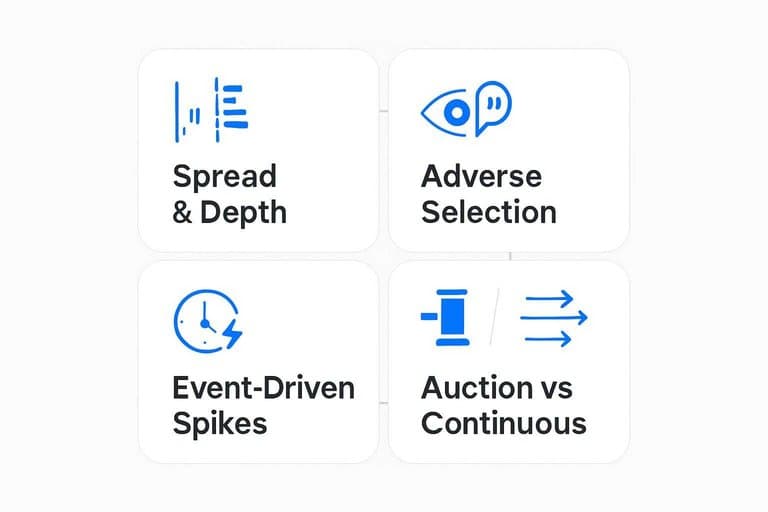
Pre- and post-market widen spreads because fewer market makers and natural buyers show up. Depth thins, so a “small” order can move price, and that’s real cost.
The risk is adverse selection. If someone trades at 7:12 a.m., others assume they know something, so quotes back away. Think: “I’ll only quote wide, or not at all.”
If you’re trading size, treat off-hours as a different venue, not extra time.
Event-Driven Distortions
Some events rewrite the clock by concentrating volume into auctions or a few minutes. Your “effective hours” become the minutes around the catalyst.
- Earnings releases and guidance calls
- CPI, jobs, and inflation prints
- Fed rate decisions and pressers
- Index rebalances and ETF flows
- Exchange halts and resumptions
Plan around the spike, or you’ll trade the vacuum before it.
Auction vs Continuous Quality
Choose based on how you want to trade liquidity, not on what time it is.
- Use auctions when you need maximum crossable volume at one price.
- Use auctions when your benchmark is the open, close, or VWAP window.
- Use continuous trading when you must control urgency and information leakage.
- Use continuous trading when the name is stable and depth is consistent.
- Switch to auctions around events when prints cluster into official crosses.
Match the mechanism to your benchmark, or your “slippage” is self-inflicted.
Data Feeds Can Lie
“Market open” is not a single truth. It’s a label derived from vendor rules, feed choice, and timestamp meaning. Two dashboards can disagree and both be “correct.”
SIP vs Direct Feeds
Your vendor’s “open” light often comes from either SIP or direct exchange feeds, and they behave differently under stress. On busy opens, SIP can lag and reorder updates, so the NBBO you see may trail what direct clients already traded.
Direct feeds usually arrive faster and with richer sequencing, but you can still see sequence gaps if packets drop or recovery lags. SIP consolidates across venues, so its first “official-looking” quote may appear later than the first executable quote on a single exchange.
If your dashboard keys “open” off SIP NBBO, you’re measuring consolidation timing, not the first tradable moment.
Timestamps and Clocks
Time fields decide what “open” means, and vendors mix them casually.
- Using exchange time instead of vendor receipt time
- Rounding milliseconds into whole seconds
- Running with clock drift across servers
- Displaying out-of-sequence prints as “latest”
Treat timestamps as part of the data model, not decoration, or your open/close logic will silently rot.
Trading Status Flags
Status flags look definitive, but they’re layered and sometimes contradictory across venues. A symbol can be in a regular session state on one exchange, halted on another, and still printing trades from off-exchange activity.
Halt codes, auction states, and session markers tell you whether orders are executable, not whether messages exist. You can see quotes during an auction, indications during a halt, or stale quotes that remain published without fresh executable size.
Use flags to gate decisions, not to paint a green “open” badge that implies universal tradability.
Practical “Is It Open?” Logic
You need a repeatable way to answer “Can I trade this now?” without guessing. The right answer depends on the ticker, the venue, and what your order is allowed to do.
- Identify the instrument and primary venue (e.g., AAPL on NASDAQ, VOD on LSE).
- Check the venue’s current session state: open, auction, halt, closed, or holiday.
- Apply instrument status: trading halt, volatility pause, delisting, or corporate action lock.
- Match your order intent to allowed sessions: limit vs market, IOC/FOK, MOC/LOC, extended-hours eligibility.
- Confirm your broker route and constraints: available venues, short-sale rules, and order type support.
When your “yes” requires four checks, you’re doing market structure, not just reading a clock.
Use a Real-World “Is It Open?” Checklist
- Define what “open” means for your task: continuous trading, auction-only liquidity, or simply that your broker will accept orders.
- Identify the instrument and primary venue (stock, option, future, ADR/dual listing, ETF) and pull its official session schedule.
- Convert times using the exchange’s local timezone and check DST edge weeks plus holiday/half-day bulletins.
- Check status conditions: halts, limit-up/limit-down bands, reopening indications, and whether you’re in pre/after-hours with routing constraints.
- Validate with the right data: prefer direct feed/session flags when it matters, and confirm timestamps/clock sync before trusting prints.
- Decide if liquidity is “good enough”: compare spreads/depth and prefer opening/closing auctions when they match your execution goal.
Frequently Asked Questions
Is the stock market open on federal holidays like Veterans Day, Juneteenth, or Columbus Day?
Usually not on Juneteenth (NYSE/Nasdaq closed), but it’s often open on Veterans Day and Columbus Day. Always check the official NYSE/Nasdaq holiday calendar because observance and early-closure days change year to year.
If the stock market is open, why does my order show “pending” or not fill right away?
Your order can sit unfilled when there’s no executable liquidity at your price or your broker is applying routing rules, risk checks, or session restrictions. Marketable limit prices, order type, and the current spread/depth usually determine fill speed more than the headline “open” status.
What time is the stock market open in my time zone (UK, Europe, India, Australia) when the US switches daylight saving time?
US market hours shift by one hour for several weeks in many countries during DST mismatch periods (e.g., US switches earlier than the UK/EU in spring). Use an exchange calendar tool (NYSE calendar + a time-zone converter) rather than fixed local times to avoid DST mistakes.
How can I verify in real time whether a specific stock is actually tradable right now?
Check the venue-specific status flags (e.g., “Halted,” “Trading,” “Closing Auction”) in your broker’s Level 1/Level 2 and, if possible, cross-check with an exchange halt feed (NYSE/Nasdaq) or a direct-feed-capable platform. Also confirm you’re seeing fresh quotes/trades with consistent timestamps, not delayed or consolidated indicators.
When does the stock market open for earnings days or IPO days—does premarket activity change the open?
The official regular session open time doesn’t change, but earnings and IPOs often concentrate price discovery into auctions and volatility pauses that can delay continuous trading. Expect wider spreads and intermittent halts near the open, even when premarket prints exist.
Trade the Real Market Clock
Once you account for sessions, liquidity, and data-feed quirks, the bigger edge is knowing what to focus on when the market actually matters.
Open Swing Trading updates daily after the close with relative strength rankings, breadth, and sector/theme rotation so you can build a focused watchlist in minutes—get 7-day free access with no card.
Sources
- NYSE Group Holiday & Early Closings Calendar (2025–2027) – press release PDF — referenced in Half-Days and Specials