Swing Trading Scanner vs Screener for Discretionary Traders
A clear comparison of swing trading scanners vs screeners for discretionary traders — understand time sensitivity, signal quality, customization depth, workflow integration, and cost/complexity so you choose the right tool stack for your process.
Swing Trading Scanner vs Screener for Discretionary Traders
A clear comparison of swing trading scanners vs screeners for discretionary traders — understand time sensitivity, signal quality, customization depth, workflow integration, and cost/complexity so you choose the right tool stack for your process.
Are you missing A+ swing setups because you only look at end-of-day filters—or are you drowning in intraday alerts you can’t act on? The difference usually isn’t your strategy. It’s whether you’re using a scanner, a screener, or both.
This comparison breaks down how each tool performs when timing matters, how to control noise without missing opportunity, and what customization actually helps discretionary decision-making. You’ll leave with a simple decision snapshot, a hybrid playbook, and a minimal tool stack you can run consistently.
Table of Contents
- Decision SnapshotWhat a Scanner IsWhat a Screener IsBest Fit Summary
- Time SensitivityAlert Speed WinnerEOD Planning WinnerHybrid Timing Playbook
- Signal QualityNoise Control WinnerOpportunity Capture WinnerValidation Checklist
- Customization DepthComplex Filters WinnerEvent Logic WinnerMust-Have Conditions
- Workflow IntegrationWatchlist BuildingExecution SupportOverwhelm Controls
- Data, Universe, LiquidityLiquidity Filter WinnerPremarket/News WinnerUniverse Rules
- Cost and ComplexityLower Effort WinnerPower User WinnerBudget Tiers
- Side-by-Side Matrix
- Choose by Trader Type
- Final RecommendationDefault WinnerWhen Scanner WinsMinimal Tool Stack
- Pick Your Default, Then Add the Missing Piece
- Frequently Asked Questions
- Build a Faster Watchlist
Decision Snapshot
A scanner watches the market in near real time and pings you when a setup appears. A screener filters a universe on a schedule and hands you a cleaner shortlist. The tradeoff is simple: scanners win on speed, screeners win on filter quality.
What a Scanner Is
A scanner is real-time or near-real-time alerting that spots conditions as they form. You use it when being early matters, like catching a breakout as volume spikes and price clears a level.
It typically runs on live feeds and triggers on rules like “new 20-day high” or “1-minute volume surge.” Many scanners also rank results, so the strongest signals rise first. You’re not curating the universe much; you’re reacting fast.
Speed is the edge, but it also invites more noise.
What a Screener Is
A screener is batch or periodic filtering that narrows your universe by criteria. You use it when you want better candidates, like building a swing watchlist after the close.
It runs on snapshots, such as end-of-day data, and applies stacked filters like market cap, liquidity, trend, and relative strength. The output is fewer names with cleaner structure. You trade later, but you start with higher-quality inputs.
Selection quality is the edge, even if you’re late to the first move.
Best Fit Summary
Discretionary swing trading usually needs both, used at different moments. Use this mapping to keep your workflow tight.
- Use a screener for watchlist discovery
- Use a scanner for entry timing
- Use a screener for liquidity and spread checks
- Use a scanner for breakout and breakdown alerts
- Use both to enforce risk rules
Build the shortlist slow, then execute fast.
Time Sensitivity
Breakouts and reversals don’t wait for your routine. Your edge often comes from seeing the move early, then acting with a clean plan.
In swing timeframes, a scanner wins when price changes fast. A screener wins when you’re building structure for the week.
Alert Speed Winner
A scanner wins when you need intraday alerts that support next-day entries. You’re reacting to breakouts, reversal triggers, and news spikes before the close.
Most screeners refresh on a schedule, or only after the market prints a new dataset. Scanners stream or poll faster, but latency still shows up in feeds, filtering, and your broker’s data path.
If your thesis starts with “as soon as it breaks,” you want a scanner, not a nightly report.
EOD Planning Winner
A screener wins when you plan after the close and trade from a prepared list. You’re filtering for clean bases, strong weekly trends, or “above the 50-day” setups.
End-of-day data is stable and comparable across names, so your rules stay consistent. You can run weekly scans, tag watchlists, and write triggers like “buy above Tuesday’s high.”
If your advantage is selection and patience, the screener is your workhorse.
Hybrid Timing Playbook
Use both when you want speed without chasing. Your goal is fewer alerts, better context.
- Screen nightly to build a tight watchlist.
- Scan during key windows: open, lunch, final hour.
- Confirm with charts: level, volume, market regime.
- Place orders with triggers: stop, limit, or bracket.
You stop hunting randomly and start executing a schedule.
Signal Quality
Signal quality is about how many charts you reject before you find one you’d actually trade. You’re balancing two costs: false positives that waste time, and missed moves that never show up.
Think of it as “cleaner pile” versus “bigger pile.”
Noise Control Winner
A screener wins when you want cleaner candidates and fewer time-wasting charts. Tight, multi-factor filters force agreement across trend, liquidity, and volatility, so the average chart looks tradable.
Example: “Uptrend + above 50/200 MA + 2M volume + ATR range + within 5% of breakout level.” You’ll miss some early movers, but you’ll stop clicking through junk.
You’re paying for signal quality with fewer swings at the plate.
Opportunity Capture Winner
A scanner wins when you want the earliest hint of momentum, even if it’s messy. Real-time triggers surface names before your filters would confirm them, so you get more “maybe” charts.
Example: “High of day break + relative volume spike + fast % change.” Many will fade or whipsaw, but you’ll see emerging leaders sooner.
If you can filter fast by eye, the extra noise becomes optionality.
Validation Checklist
Run a quick chart audit before you let any alert turn into a trade.
- Confirm trend on higher timeframe
- Mark key levels and distance
- Check volume relative to baseline
- Gauge volatility versus your stop
- Identify catalyst and timing
If you can’t define risk-to-reward in 20 seconds, it’s not a candidate.
Customization Depth
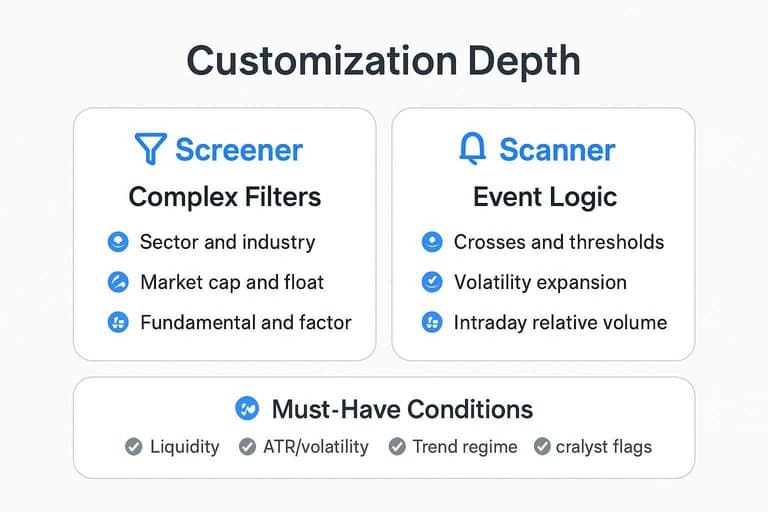
You’re really choosing between two kinds of flexibility: rule depth versus timing precision. A screener shines when you want a repeatable “universe + filters” recipe, while a scanner shines when you want “alert me when it triggers.”
Complex Filters Winner
A screener wins when your edge depends on stacking conditions that don’t change minute to minute. Think “only mid-cap software, $20M+ daily dollar volume, positive EPS revisions, then a weekly uptrend.”
You get stable universe constraints like:
- Sector and industry membership
- Market cap and float ranges
- Liquidity floors and price bounds
- Fundamental and factor filters
That structure keeps your watchlist clean, so your chart time stays high-value.
Event Logic Winner
A scanner wins when your edge is about something that just flipped. Think “VWAP reclaim, then volume spike, then break prior day high,” and you want it now.
Scanners are built for event-style logic like:
- Crosses and thresholds (MA, VWAP, key levels)
- Volatility expansion (ATR pop, range breakout)
- Intraday relative volume surges
- “New high since open” type triggers
If the trigger is time-sensitive, the tool should be time-aware.
Must-Have Conditions
You need a small set of conditions that travel across markets and regimes. Keep them explicit, so you can debug misses fast.
- Liquidity: tight spreads, consistent dollar volume
- ATR/volatility: enough range to pay you
- Trend regime: align daily and weekly bias
- Relative strength: outperforming peers or index
- Catalyst flags: earnings, news, upgrades, splits
When a trade fails, one of these was usually fake, not missing.
Workflow Integration
Discretionary swing trading lives or dies in your routine. The right tool plugs into watchlists, journaling, alerts, and execution without turning your day into a notification treadmill.
Watchlist Building
A screener fits when your goal is a small, high-quality list you actually know. Think “20 names I can journal weekly,” not “400 charts I’ll never open.”
Use a screener to:
- Filter your strategy universe once per day
- Curate a stable watchlist by theme or sector
- Add notes like “A+ setup, needs pullback”
You’re designing a pipeline, not chasing prints.
Execution Support
A scanner fits when your edge depends on timing around levels. It gives you nudges like “back above VWAP” or “break of prior day high,” right when it matters.
Use a scanner to:
- Alert at pre-marked trigger levels
- Catch “from asleep to moving” transitions
- Reduce late entries from chart-check gaps
If execution is where you leak, automate the tap on your shoulder.
Overwhelm Controls
You need rules that keep alerts helpful, not hypnotic.
Data, Universe, Liquidity
Coverage is easy to claim and hard to trade. You need a universe that matches your order size, your time window, and real spreads.
Liquidity Filter Winner
Pick a screener when your first job is to exclude bad fills. A simple rule like “no averages under 1M shares” saves you from dead charts.
A practical screener set looks like this:
- Minimum average volume to ensure consistent prints
- Minimum price to avoid wide ticks
- Maximum spread proxy via volume and price
- ETF inclusion to keep alternatives liquid
You’re not hunting ideas here. You’re building guardrails that prevent regret.
Premarket/News Winner
Pick a scanner when time matters more than completeness. If you trade reactions, you need the first alert, not the perfect filter.
A scanner earns its keep by catching:
- Premarket gappers and fast re-pricing
- Halt and resume behavior
- Unusual volume bursts on headlines
- Earnings spikes that change ATR instantly
Your edge is speed and context. The scanner gives you the first look.
Universe Rules
Use hard thresholds so your watchlist stays tradable on boring days. Tune them to your position size and broker routing.
- Price: $5–$200
- Avg volume (20D): 1M+ shares
- ATR% (14D): 2%–8%
- Max spread: ≤0.20% of price
- ETFs: include sector leaders
If you can’t get in and out cleanly, the pattern is fiction.
Cost and Complexity
You’re paying with money and with attention. The right choice depends on whether you want “set it once” or “tune it weekly.”
Lower Effort Winner
Pick a screener when you want simple filters with low setup time. Think “RSI under 30” or “50-day above 200-day,” then sort and click. You’ll spend less time maintaining rules, lists, and alerts.
Power User Winner
Pick a scanner when you’ll invest time to tune real-time alerts, sessions, and symbol universes. You’ll configure things like “first 5-minute range break with volume surge” and route it to watchlists. It costs more cash and more brainpower, but it pays back in speed.
Budget Tiers
Costs usually map to how fast the data is and how automated the workflow becomes.
- Free/basic screeners, delayed data, simple filters
- Mid-tier platforms, better charts, saved screens
- Pro scanners, real-time alerts, advanced conditions
- Data add-ons, real-time feeds, extended hours
If you trade intraday entries, data fees become strategy fees.
Side-by-Side Matrix
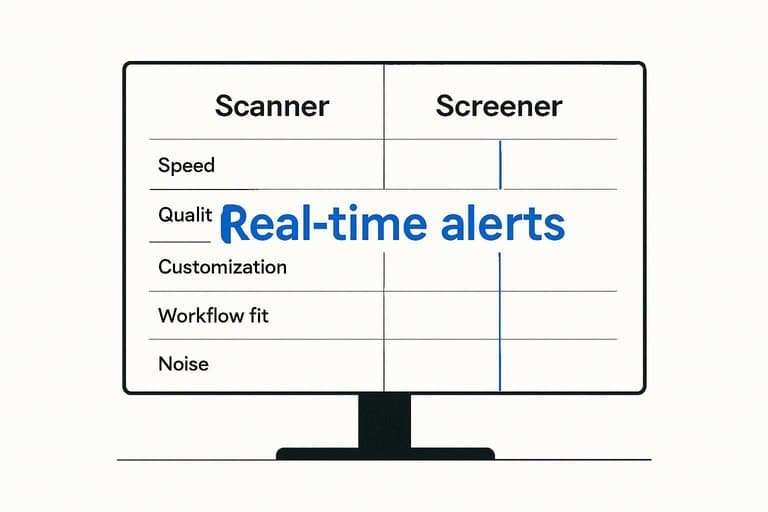
You pick scanners and screeners for different reasons: speed versus control. Use this matrix when you’re deciding what belongs in your daily workflow.
| Criteria | Scanner | Screener | Best for | |—|—|—| | Speed | Real-time alerts | End-of-day batch | Intraday vs nightly | | Quality | More false positives | Cleaner candidate set | Precision-first prep | | Customization | Event + condition rules | Fundamental/technical filters | Complex triggers vs lists | | Workflow fit | React and execute | Plan and shortlist | Momentum vs structure | | Noise | High, needs triage | Lower, needs review | Fast tape vs calm | | Best use cases | Breakouts, unusual volume | Bases, relative strength | Trigger vs watchlist |
If you trade off alerts, build a scanner; if you trade off plans, build a screener.
Choose by Trader Type
Pick based on how you actually trade, not what the tool promises. Use the table to match your profile to the tool that saves you time and reduces missed setups.
A scanner reacts fast to today’s tape. A screener shapes your watchlist before the open.
| Trader type | Better tool | Why | Default workflow | |—|—|—| | Part-time | Screener | Prep once, reuse | Weekend list, alerts | | Full-time | Scanner | Real-time flow | Intraday scans, quick review | | Small-cap focus | Scanner | Volatility, catalysts | Gap/volume scans, then filter | | ETF focus | Screener | Slow movers, themes | Factor screens, rebalance list | | Catalyst-driven | Scanner | News hits now | News+volume scan, validate | | Trend-following | Screener | Clean regimes | Weekly trend screen, entries daily |
Choose the tool that matches your time constraints first. The “best” tool is the one you’ll run every day.
Final Recommendation
Most discretionary swing traders should start with a screener, then add a scanner later. The screener builds a clean watchlist you can actually manage, like “25 names I know cold” instead of 600 maybes. Add a scanner only after your rules are written and your tradable universe is defined.
Default Winner
Choose the screener first because it improves your watchlist quality fast. You’ll get fewer, better charts, like “relative strength + clean base + rising volume” candidates you can review nightly. Add a scanner later, once your setups and tickers are stable, so alerts mean “actionable now,” not “look at this random spike.”
When Scanner Wins
Use a scanner when timing matters more than curation.
- Catch breakout triggers at key levels
- React to news or catalyst moves
- Spot volatility expansion days early
- Trigger intraday level and volume alerts
If you can’t act the same day, scanning becomes entertainment.
Minimal Tool Stack
Use a small stack that forces consistency.
- Run a nightly screener to refresh your A-list.
- Set a few scanner alerts for your exact triggers.
- Review charts on a fixed routine, same time daily.
- Journal every trade and feed rules back into filters.
Your edge comes from a tight loop, not more signals.
Pick Your Default, Then Add the Missing Piece
Default to a screener if your swing process is planned around EOD data, clean watchlists, and repeatable filtering—then use a scanner only for time-sensitive triggers (breakouts, volatility expansions, unusual volume) on those prequalified names. Default to a scanner if you actively monitor intraday and need early alerts, but add a screener to enforce liquidity, trend, and fundamental/structure constraints so your alerts stay tradable. If you want the simplest stack: screener builds the weekly watchlist, scanner alerts you when those tickers hit your entry conditions, and your validation checklist confirms the trade before you execute.
Frequently Asked Questions
Build a Faster Watchlist
If you’re weighing a swing trading scanner against a screener, the real edge comes from daily leadership context and a repeatable workflow you can trust.
Open Swing Trading helps discretionary traders spot potential breakout leaders with daily RS rankings, breadth, and sector/theme rotation—built for your charts, not auto-signals. Get 7-day free access with no credit card.